
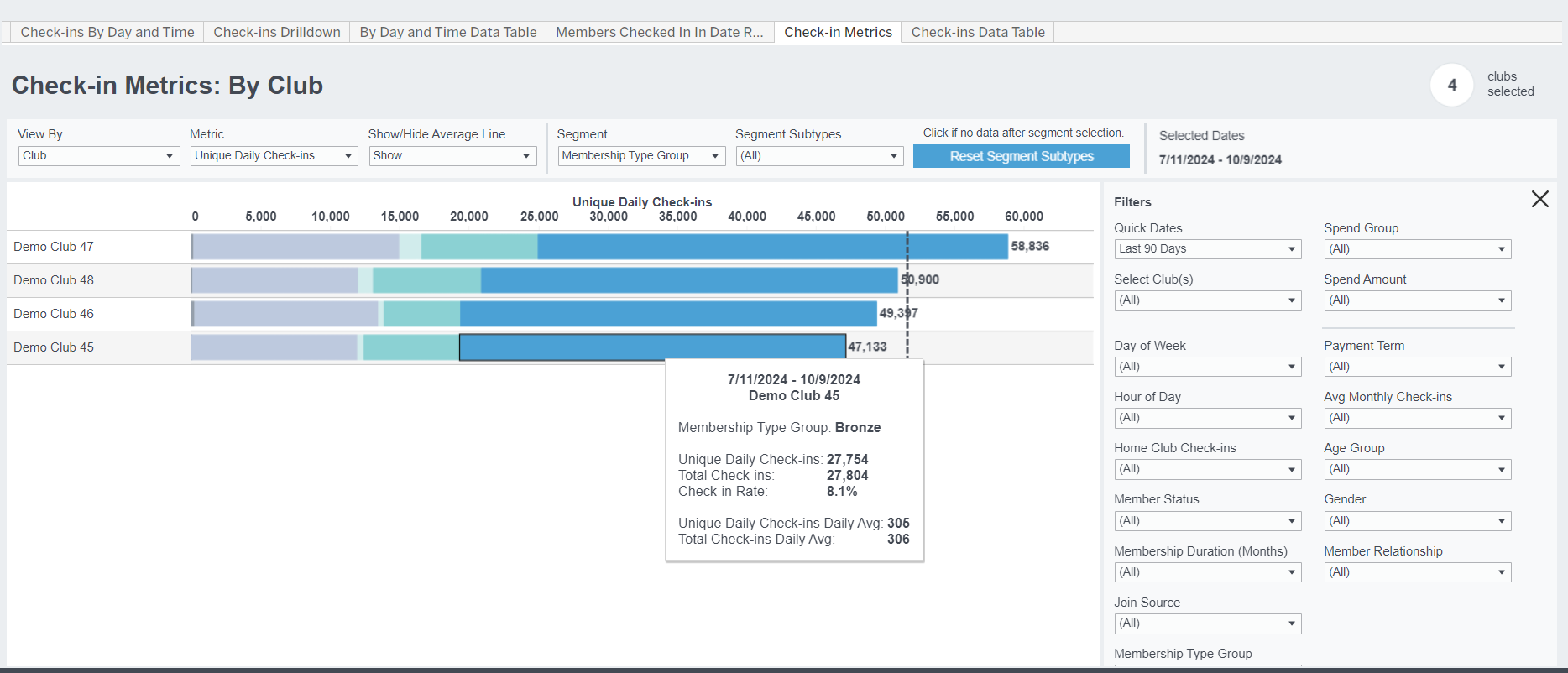
Description
View the distribution of check-ins or check-in rate by club, demographic, and engagement dimensions during a specific date range.
Possible Uses
- Identify the lightest/heaviest check-in clubs, members, days, times, etc. during a specific date range
- Easy view of most/least check-ins by Membership Type, Membership Type Group, Club, and more
- Compare by segments including Club, Membership Type Group, Membership Type, Gender, Age Group, Payment Term, Average Monthly Check-ins, and Join Source
Metric Definitions
- Total Check-Ins: The total number of check-ins within the selected timeframe, including multiple daily check-ins by the same member.
- Unique Daily Check-ins: The total number of check-ins within the selected timeframe, excluding multiple check-ins on the same day by a member. The sum of unique member check-ins each day during the specified date range. This excludes members check-in in multiple times in a day. It includes multiple counts for members checking in on multiple days in the period.
- Avg Unique Daily Check-ins per Day: [Unique Daily Check-ins] divided by the number of days in the period. How many members are coming into the gym on an average day in the period.
- Avg Club Members in Date Range: the average count of total unique members active in their home club in the report period.
- Daily Unique Member Check-in Rate (formerly Check-In Rate): The percentage of your total members who checked in at least once in a specific day/time slot during the specified date range.
- Unique Members Checked In: across the time period how many unique members visited the club
- Avg Check-ins Per Unique Member Checked In: [Unique Daily check-ins] / [Unique Members Checked In]
- Unique Home Club Members Checked In: across the time period, how many unique members visited their home club
- Unique Home Club Members Checked In Rate: [Unique Home Club Members Checked-In] / [Avg Club Members in Date Range]. In other words, of the club members in the date range (avg), what % had a home club check-in at any time in the period.
- Unique Non-Home Club Members Checked-in: across the time period, how many non-home club members checked in to the club
- % Non-Home Club Members Checked-In: [Unique Non-Home Club Members Checked-In] divided by [Unique Members Checked-In]. In other words, what % of members who checked in to the club are not based out of the club.
- NOTE: Guest check-ins are considered Non-Home Club check-ins
Related Dashboards