
Event Groups are a feature in Easalytics dashboards and reporting that allows you to group your calendar events into higher level categories, which make reporting easier to read and understand. In Easalytics' Class Attendance and Personal Training dashboards you will have the ability to report on the Event Type Group, or more granularly to the Event Name, Trainer/Instructor, etc.
When your clubs are onboarded, the Easalytics team will make a first attempt at grouping your events for reporting. We encourage you to review your event groups, and make changes to meet your reporting needs.
Making updates to your Event Groups is done by your Easalytics admin users.
Using the Admin Page
Navigate to the Admin section using the Gear icon in the top right of the Easalytics portal, when you're logged in. From the admin section, click on the Event Name Grouping link. Note, only admin users have the ability to manage groupings.
Tables can't be imported directly. Please insert an image of your table which can be found here.
Event Groups
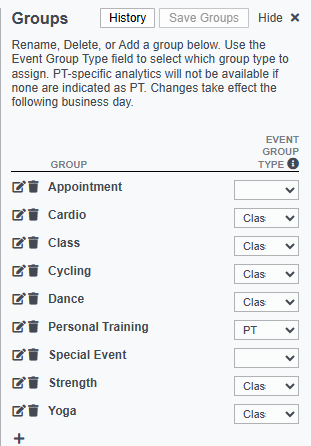
On the right of the page is a list of your Event Groups. These are the top level categories that will appear in reporting. In this section you can add, edit, or delete Event Groups depending on how you want your reports to look.
Event Group Types
In addition to creating the Event Groups, you need to select the Event Group Type.
- Class: Event Groups marked as Class will enable events in this group to appear in Easalytics' Class reporting.
- PT: Event Groups marked as PT will appear in Easalytics' Personal Training dashboards.
- PT Intro: Event Groups marked as PT Intro will be included in the Personal Training "Book", "Appointment", and "Show" metrics to measure the success of the trial PT session.
Save your changes here before doing the next part.
On the left of the page is a list of your Event Names from your Member Management System (MMS) or your Class Management System, a field to map the Event to a Group, and info about when the mapping was last changed. Here, you can change what Group an event is mapped to; then save your changes.
Note: All saved changes made on this screen will reflect in your reporting the following day.
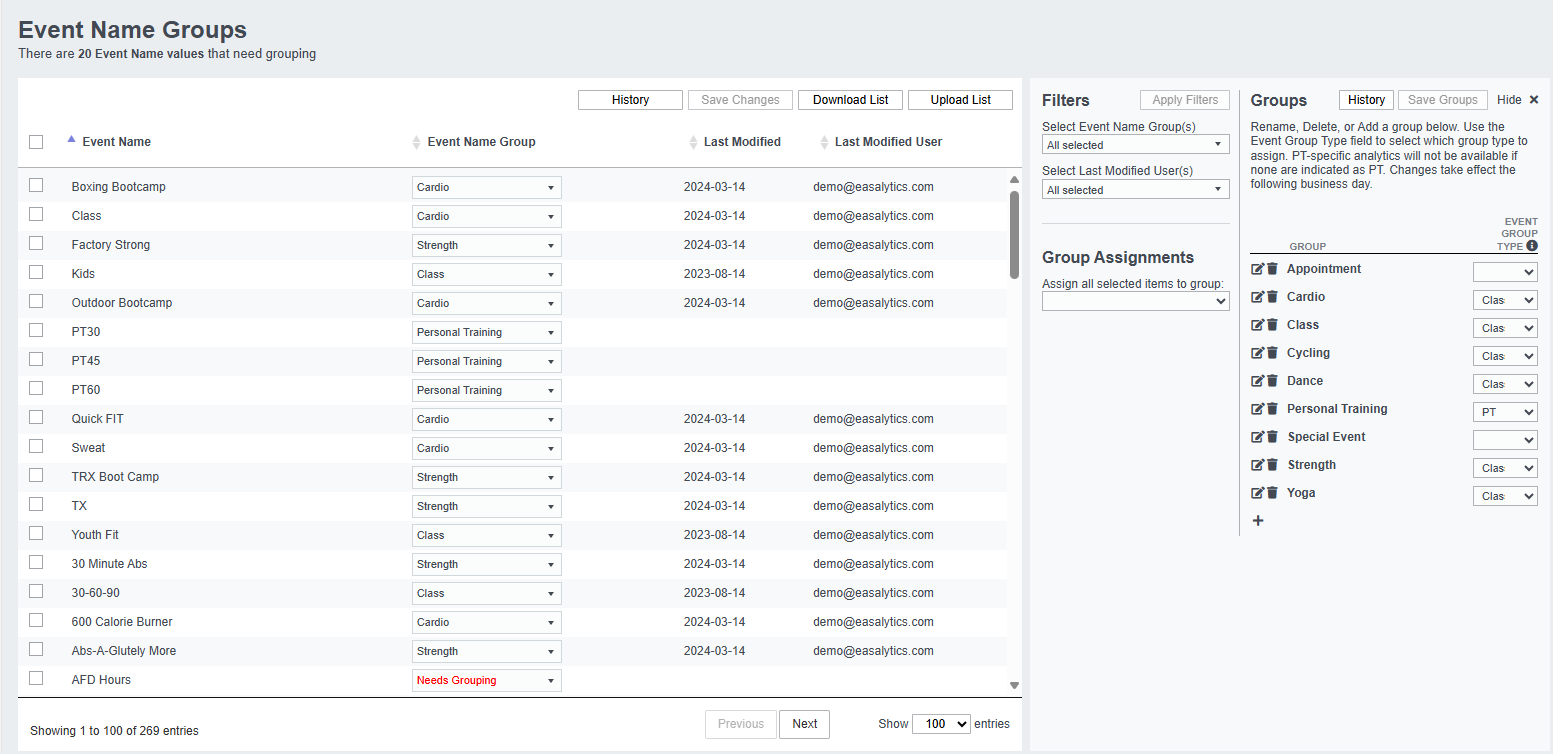
When defining your Event Groups, consider how you want to report on Classes and Personal Training. One way we've seen clients use this is to create Event Groups for Individual Personal Training vs. Small Group Training; and create class groups for Cycling, Yoga, and Group X, etc. based on departments and areas of interest.
Event Groups in Reports
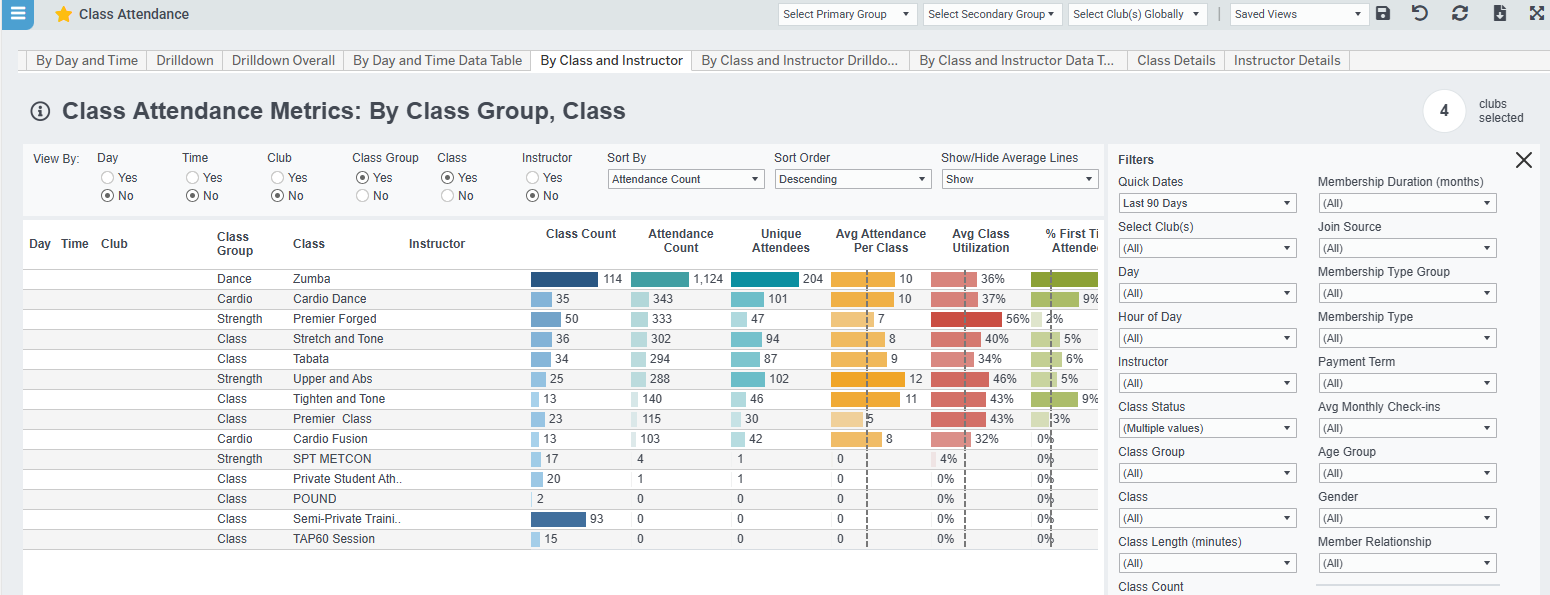
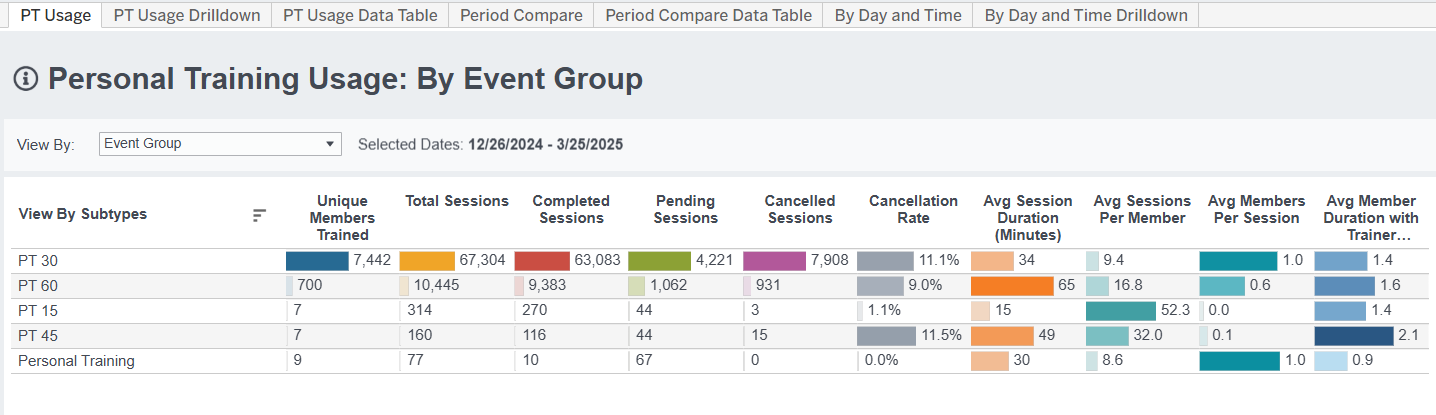
You will find Event Groups in Class Attendance and Personal Training dashboards. You can see class and session counts and comparisons in Class Attendance and PT Usage dashboards, and trends in Class Attendance Trends and PT Usage Trends dashboards.
If you have more questions or feedback on this feature, don't hesitate to reach out to support@easalytics.com.