[PREMIUM FEATURE - If you do not have access, contact Easalytics Sales to Purchase]
Description
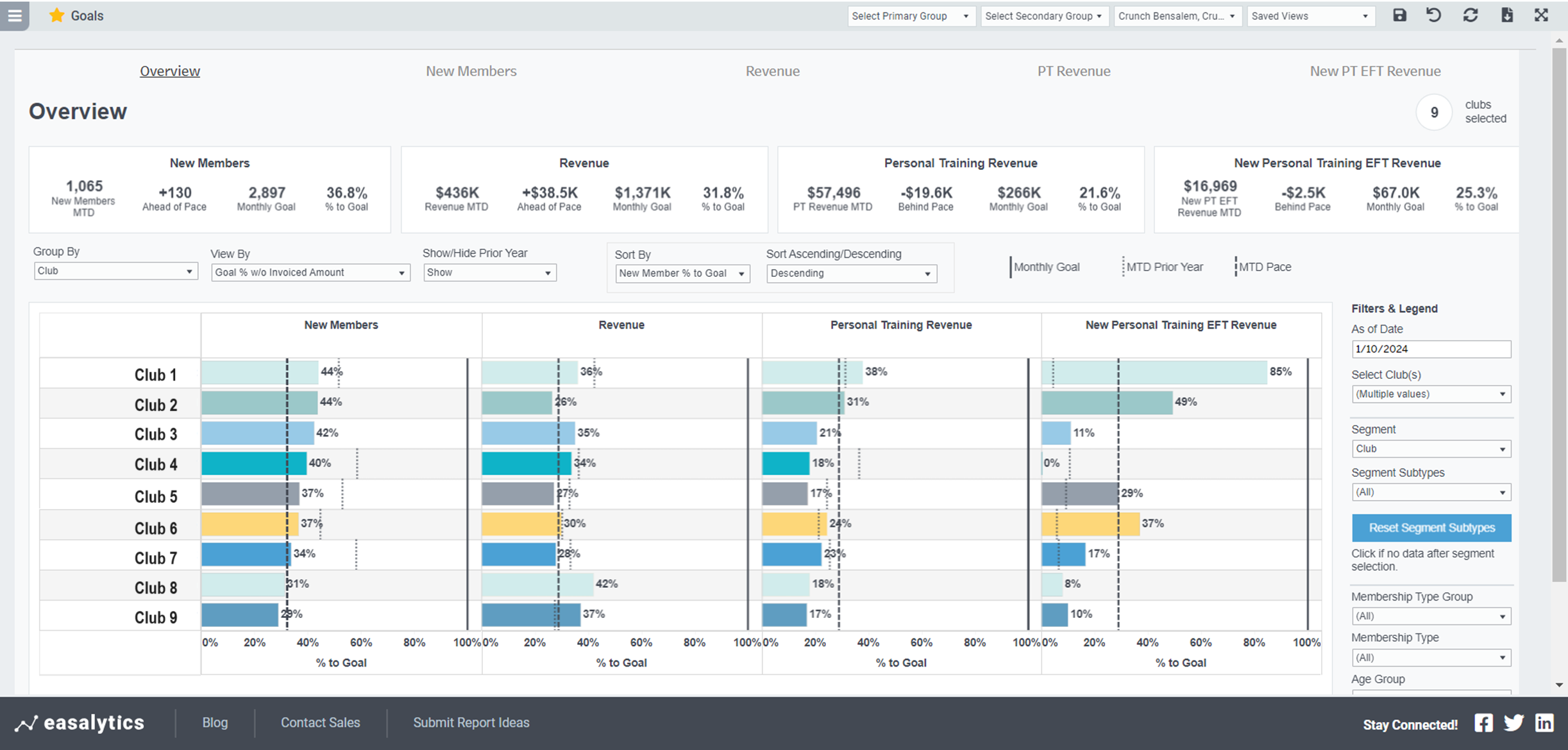
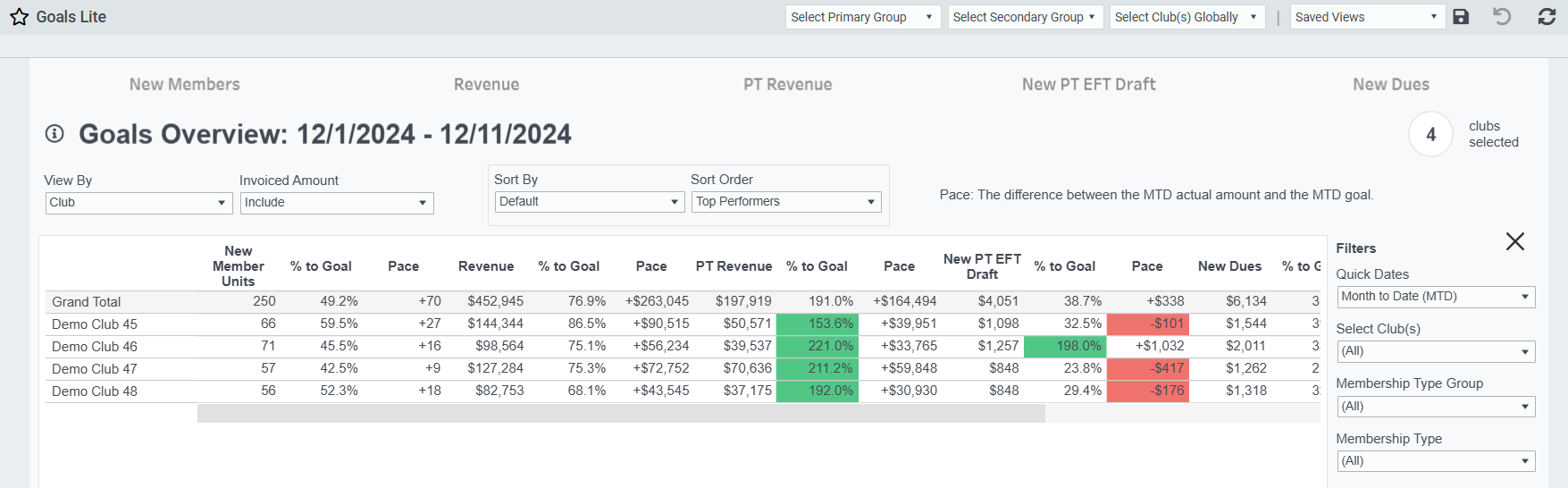
Upload or enter monthly goals for key metrics and monitor daily and month-to-date progress toward those goals, while highlighting which location(s) are on pace, behind pace, or ahead of pace.
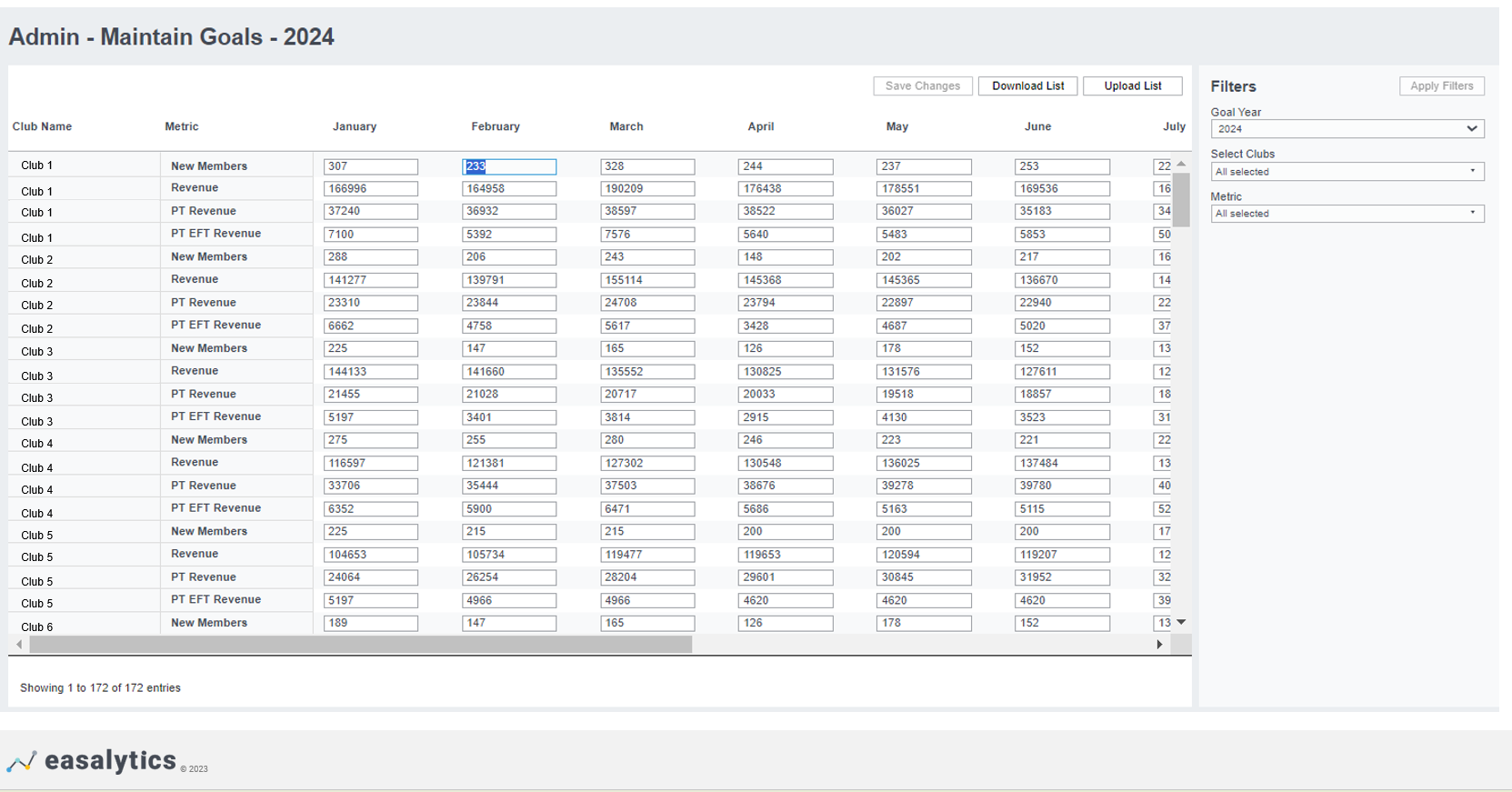
Input your monthly goals for New Members, New Dues, Total Revenue, PT Revenue, New PT EFT draft sales, PT PIF Revenue, and individual Profit Center Group revenue into Easalytics admin portal and use the Goals Dashboard to monitor your clubs’ performance Month-to-Date from any time-period. Drill in to performance on any of the given key metrics, and even download a file of daily or monthly performance.
Possible Uses
- Easy view of your clubs’ performance to your goals in one dashboard
- Compare clubs performance, regional performance, sort by top and bottom performers to inform which clubs are killing it and which need some coaching to drive the right metric performance (e.g. new members, personal training sessions, etc.)
Goals Metrics Guide
https://easalytics.zendesk.com/hc/en-us/articles/23156753470740
Dashboards
- Goals
- Goals Lite
- Goals Period Compare
- Goals New Members
- Goals New Dues
- Goals Revenue
- Goals Personal Training Revenue
- Goals PT EFT Draft
- Personal Training Scorecard