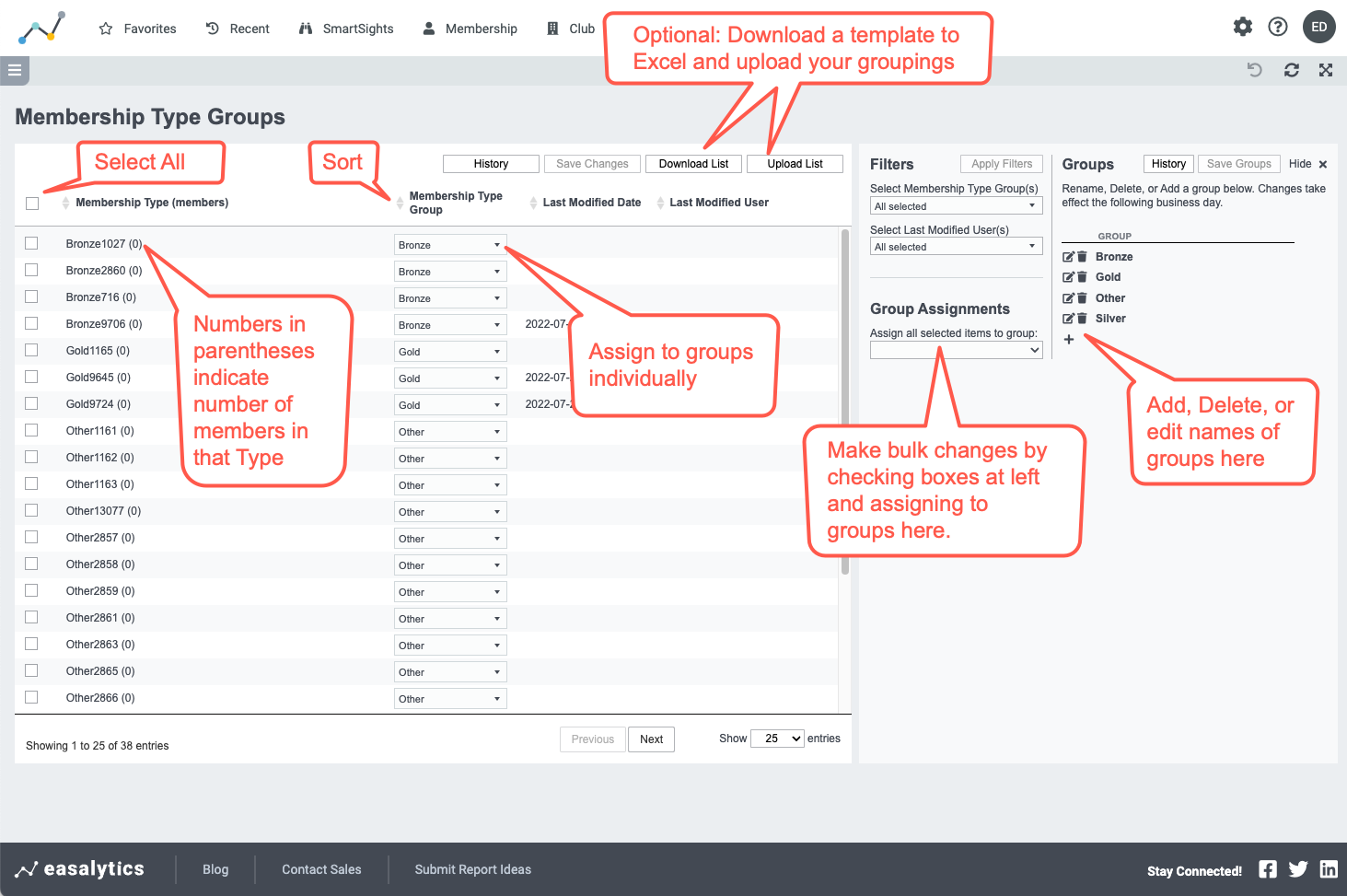
You must have Admin rights to set or modify Membership Type groupings. If you have Admin rights, a gear icon  will be available at the top right of your Easalytics portal screen. Clicking the gear icon will take you to the Admin Settings area where you will see a Membership Types management section.