
Description
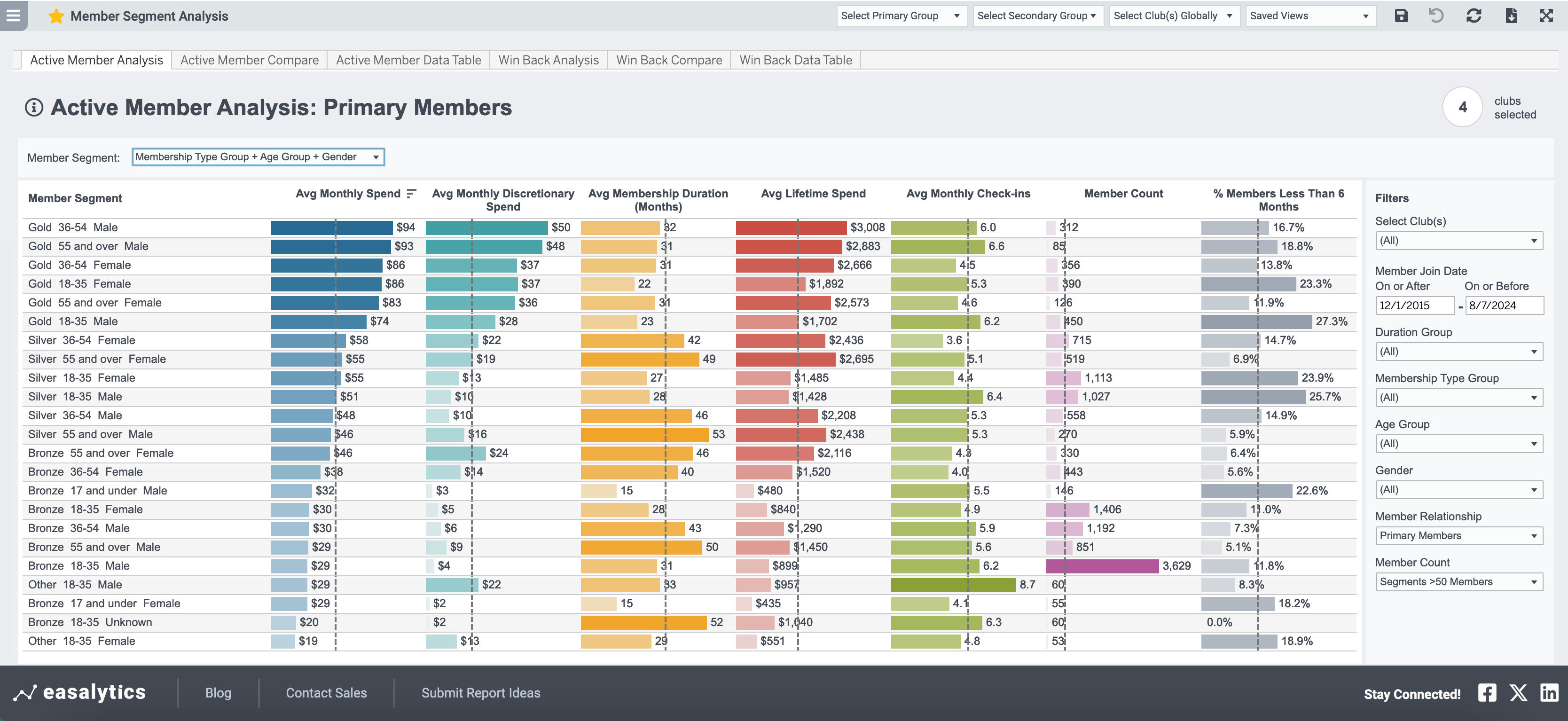
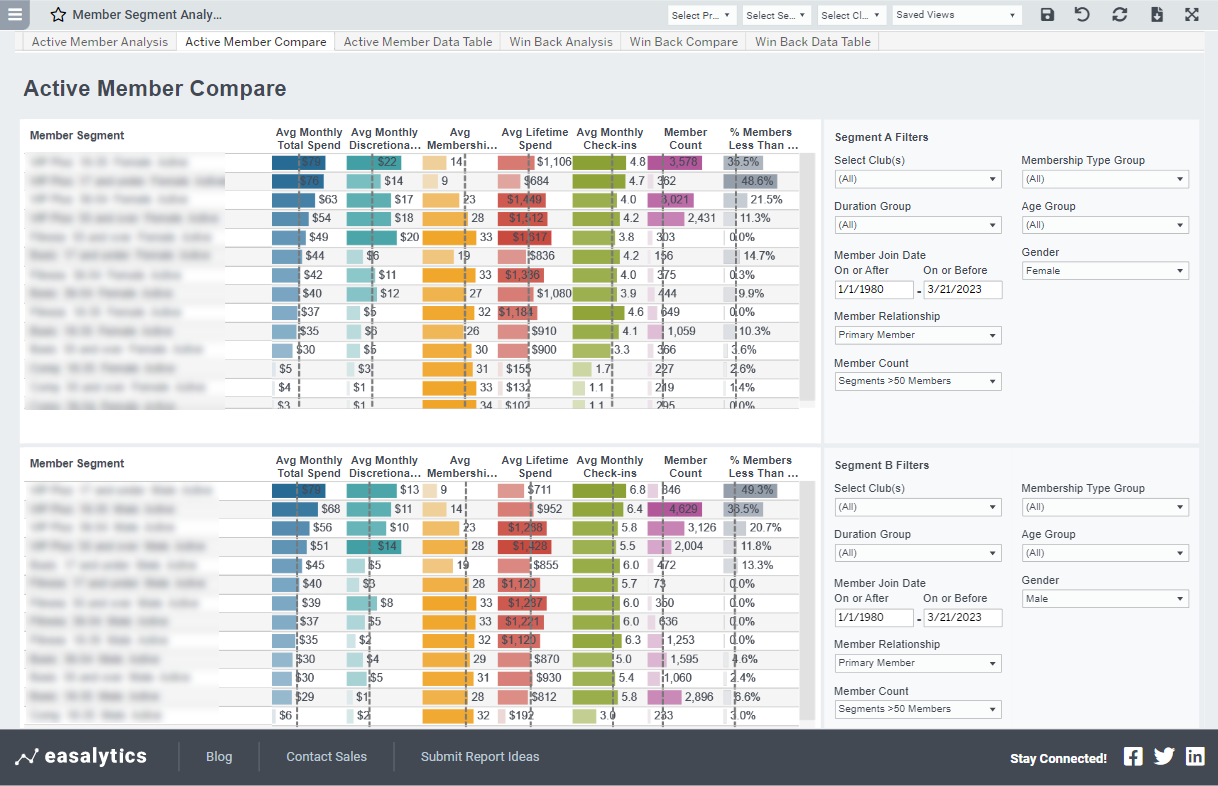
Compare various member value metrics for active members by member segment. Select the Active Member Compare tab to filter and view 2 graphs at once to compare the results for different segment types or different time frames.
Tips
- Select the level of granularity you want with any combination of membership type, gender, and age group.
- Each metric column can be sorted by ascending or descending order
- The vertical dotted line indicates the average for that metric for all segments shown
- Hover your mouse on any bar to see how that metric has been historically trending
- Click a bar to access the option to view Member List for a particular member segment. Selecting that option at the bottom of the tooltip will take you to Member List, pre-filtered for just the members in the segment you selected. There you can refine further or export to Excel.
- If a segment has below average membership duration, check the % Members Less Than 6 Months column. If that is above average, the lower duration might be due to having more new members recently added to that segment.
Possible Uses
- Find your highest value segments, by either average monthly spend or Lifetime Value
- Identify underperforming segments
- Target smaller high-value segments with aggressive referral offers to grow that segment
- Identify high-spending segments with below average durations to target with focused engagement and retention efforts to increase lifetime value
- Compare Average Membership Duration for members in different Membership Type Group, Age Group, and Gender groups
- Valuable for Sales & Marketing teams to identify high-value segments for look-alike marketing or referral offers
- The Win Back Analysis tab shows lost member segments and the number of lost members in each segment with a High Win Back Desirability rating (combination of monthly spend patterns, duration, and cancel reason, if available)
Metric Definitions
- Member Count: the number of members in the given segment in the left column
- % Members Less than 6 Months: the # of members that have a member-since date within 6 months of today divided by the total members in the given segment
- Avg Monthly Spend: The total lifetime spend, or revenue generated, for the members in the given segment divided by the member count, divided by the total duration in months.
- Avg Monthly Discretionary Spend: same as Avg. Monthly Spend, except only for profit center groups marked as Discretionary in the Profit Center Group Admin
- Avg Membership Duration: the total number of months the members in the given segment have been active divided by the member count.
- Avg Lifetime Spend: the total lifetime spend of the members in the given segment divided by the member count
- Total Lifetime Spend: the total spend, or revenue generated, for the members in the given segment
- Avg Monthly Check-ins: total check-ins for the members in the given segment, divided by the member count, divided by the total duration in months.