
Release Notes October 10, 2024
The following visible updates were made, in addition to performance improvements and bug fixes:
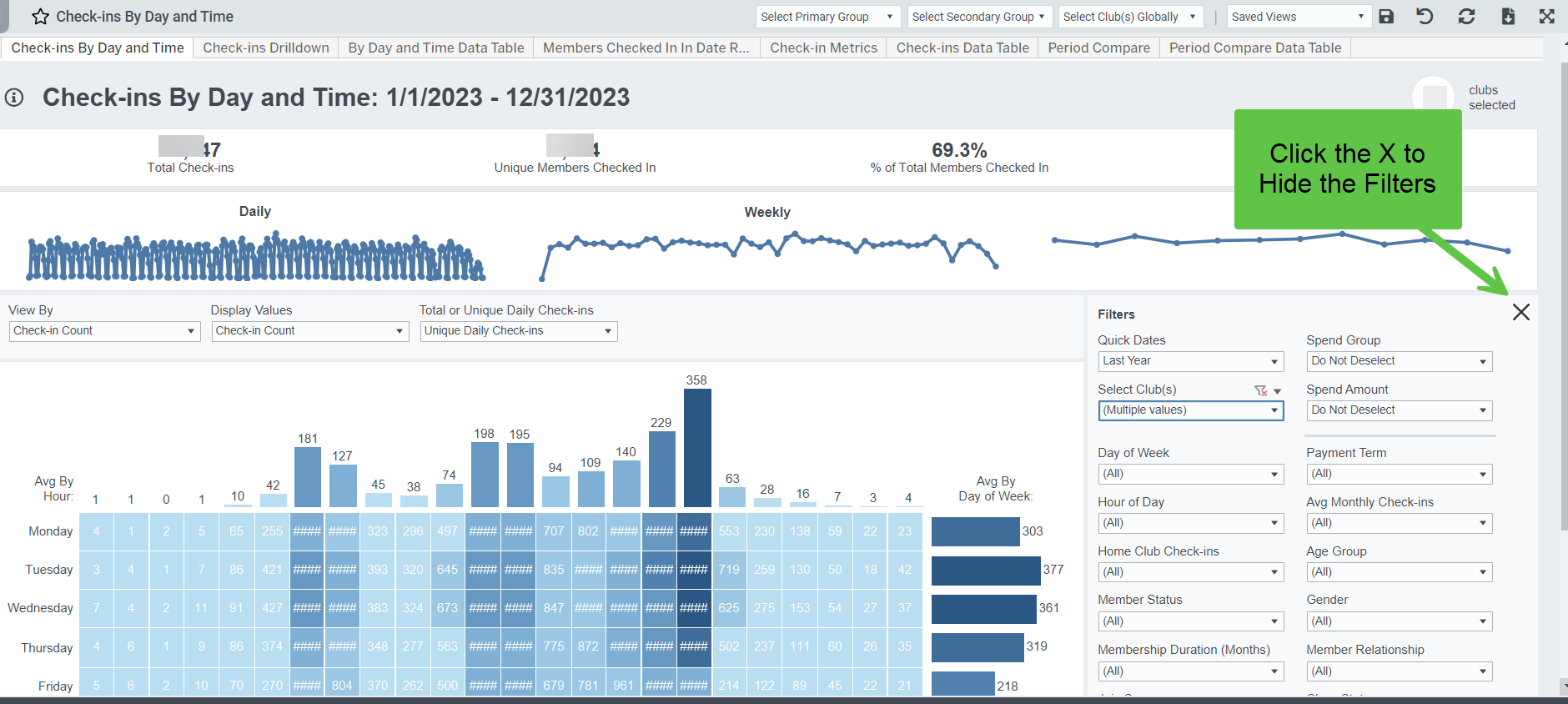
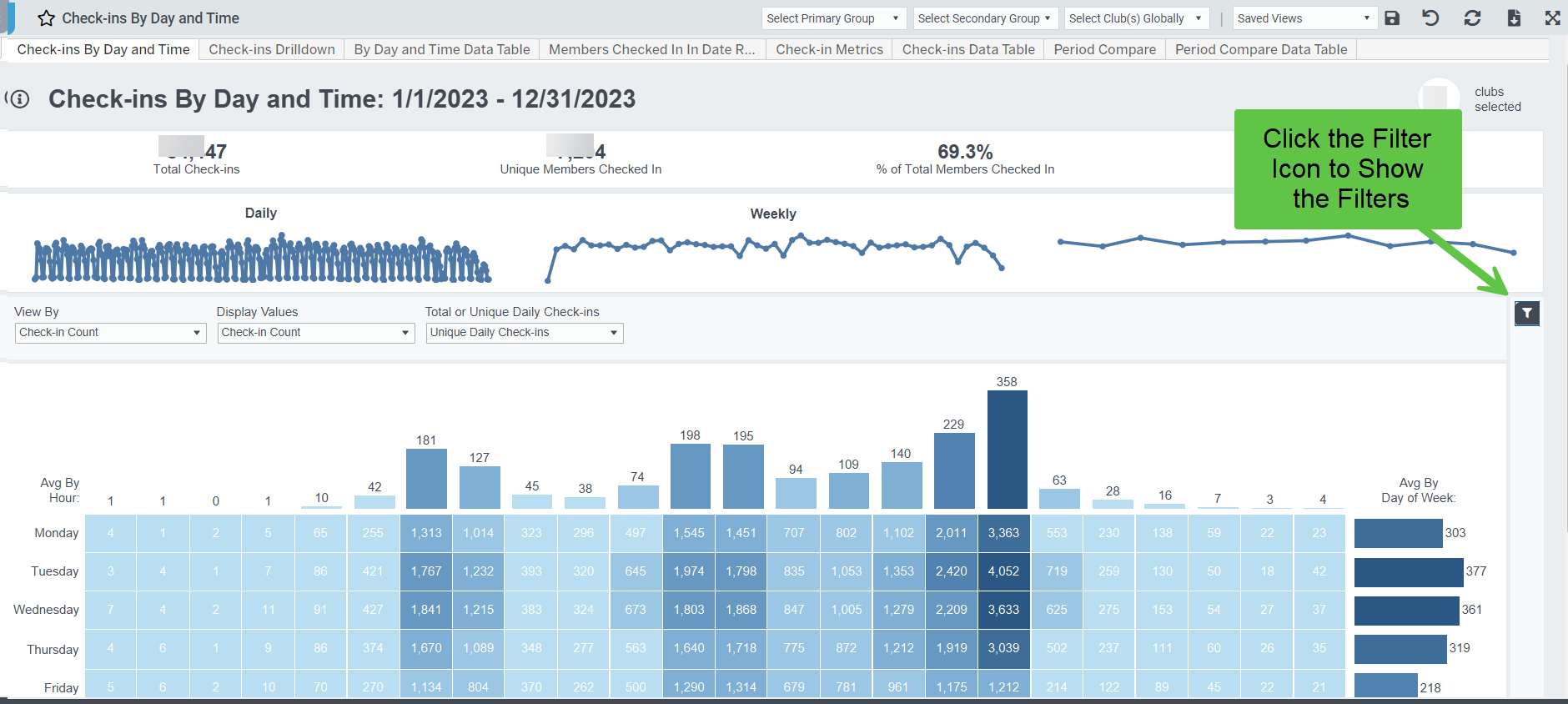
Collapsible Filters
We're rolling out a minor but useful feature across our dashboards to hide the filters, giving you the option to have a larger view of just the chart. You will start to see this option on more dashboards in the future, and there will be some filter-heavy dashboards that load with the filters hidden. It's easy to change, and when you save a view, the filter visibility setting will save too.
Homepage Topline Dashboard Widget Updates
-
- We updated the Unique Check-Ins Yesterday widget to compare Year-over-Year to the same day of week last year
- We added a Unique Check-ins Compare widget to compare yesterday and the prior two weeks same day (e.g. if Yesterday was Tuesday, the widget will compare that Tuesday of the week before, and the week before that).
- Added a Day-of-Week filter to New Members Goals MTD and New Member Breakdown MTD widgets, which can enable you to create new member goal widgets for specific days of the week, such as weekends
Goals Dashboards > Now more than just Month-to-Date
We've updated all our Goals metric dashboards to have a date picker so you can now see performance to goals for any date range. This update gives you more flexibility to see QTD and YTD goals, as well as prior period performance. NOTE: The pace-to-goal feature works ONLY in the MTD view. On the Daily Data Table tabs, you can now set date ranges and view the individual days in that date range.
Dashboards we've updated include:
- Goals New Members
- Goals New Dues
- Goals Revenue
- Goals PT Revenue
- Goals PT EFT Draft
- Goals Lite
Goals New Members Dashboard > New Metrics Added
- We've added several new metrics to the New Member Data Table to provide more information and context about new members. Metrics added include: In Person Joins, Online-Unassisted Joins, New Dues, Lost Dues, Freeze Dues, Net Dues
Member Mix > links to member list
- Now you can link directly to Member List from both the Member Mix and New Member Mix dashboards to see the specific members in the club or member segment you are interested in.
- And, we've added a filter for Membership Type Group if you want to exclude certain groups altogether, such as staff or Silver Sneakers.
Salesperson Performance Dashboard > NMUs, New Members, or New Agreements
- We've updated the dashboard to default to New Member Units metric definition for members and dues, and added a metric selector to choose pure New Members or New Agreements for the dashboard and data tables, depending on how your clubs want to count members.
- We added an Overall Total row to both data tables to help you better compare individuals to the total
- Added additional logic to the New Dues and Average Dues calculations to better account for bi-weekly dues payments
Check-ins By Day and Time > New Check-In Metrics tab added
- The new Check-in Metrics report will help you analyze and slice-and-dice your check-ins by clubs, membership types, member demographics, days, and times.
- The Check-ins Data Table tab allows you to easily export a summary of your check-ins activity for the time-period
New! Forecast Monthly Dashboard
- We've refreshed our Total Members, New Members, and Revenue forecasts for improved accuracy, and we've add forecasts for each of your Profit Center Groups configured in Easalytics Admin.
- Now get a better sense of where you're business is heading in the next 12 months!
- Note, the original Forecast Compare dashboard is now retired in favor of this new and improved version
New! SmartSights Weekly Dashboard
- SmartSights learns the normal and expected range for hundreds of trends within each club location, taking into account seasonality, and identifies any metrics spiking or trending above or below what would be ordinarily expected.
- Now find trends for a Week and Day for applicable metrics with the new Weekly dashboard, a great companion to our SmartSights Monthly dashboard. NOTE: If you don't see a metric at the Week/Day level it is because the data does not support that level of monitoring.
Other Noteworthy Updates
- Member List Dues Amount calculation fixes, especially for bi-weekly dues
- Membership Type Grouping Admin Page > Now you can sort by the number of members in a Membership Type, and click to Member List to see the specific members in the Membership Type, in order to help you group those for reporting and dashboards
- Goals Period Compare > added quick date pickers for Period A and Period B date ranges
- Member Segment Analysis dashboard > added Spend Group Filters, which allows you to create new segments; for example, we can filter the segment list to people spending > $100 in PT
- Membership Type Group filter was also added to Membership Trends, Net Membership, and Retention Rate dashboards, if you want to exclude certain groups, such as Staff or Silver Sneakers.
Please share any suggestions for enhancements, new reporting, and new ideas to support@easalytics.com