
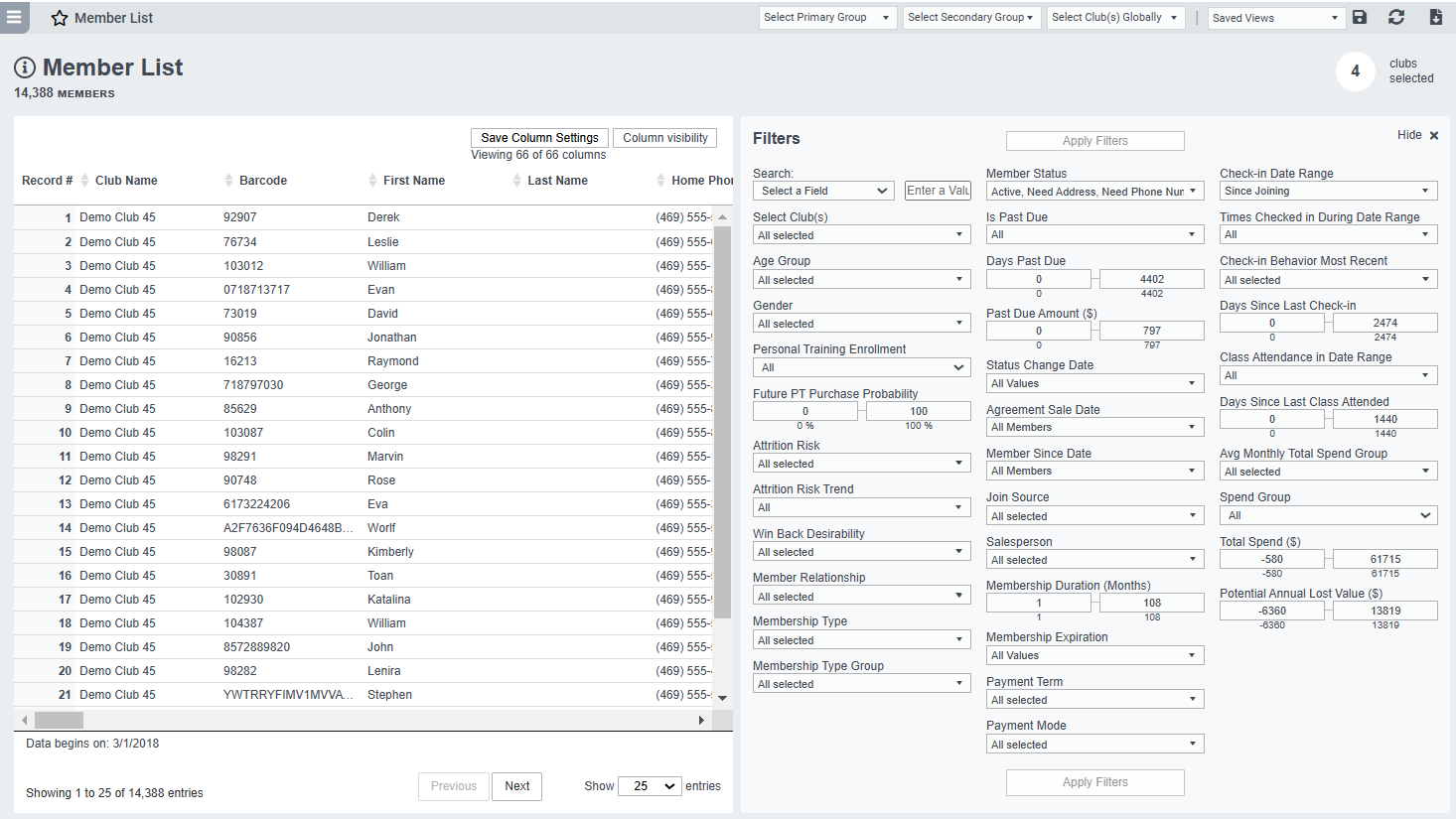
Description
Easalytics' Member List is a complete list of your active and inactive members (for onboarded clubs) with details about their membership and payment plans, past purchases, class attendance, check-ins, personal training usage and spend, and more.
Use the filters to narrow down your member list to those you're interested in. Export the list to excel to import into your CRM for marketing. Save views of key member segments so you can easily come back to the same filtered list. Save a cohort in Easalytics to be able to see changes to those members' profiles over time. Learn more about saved cohorts.
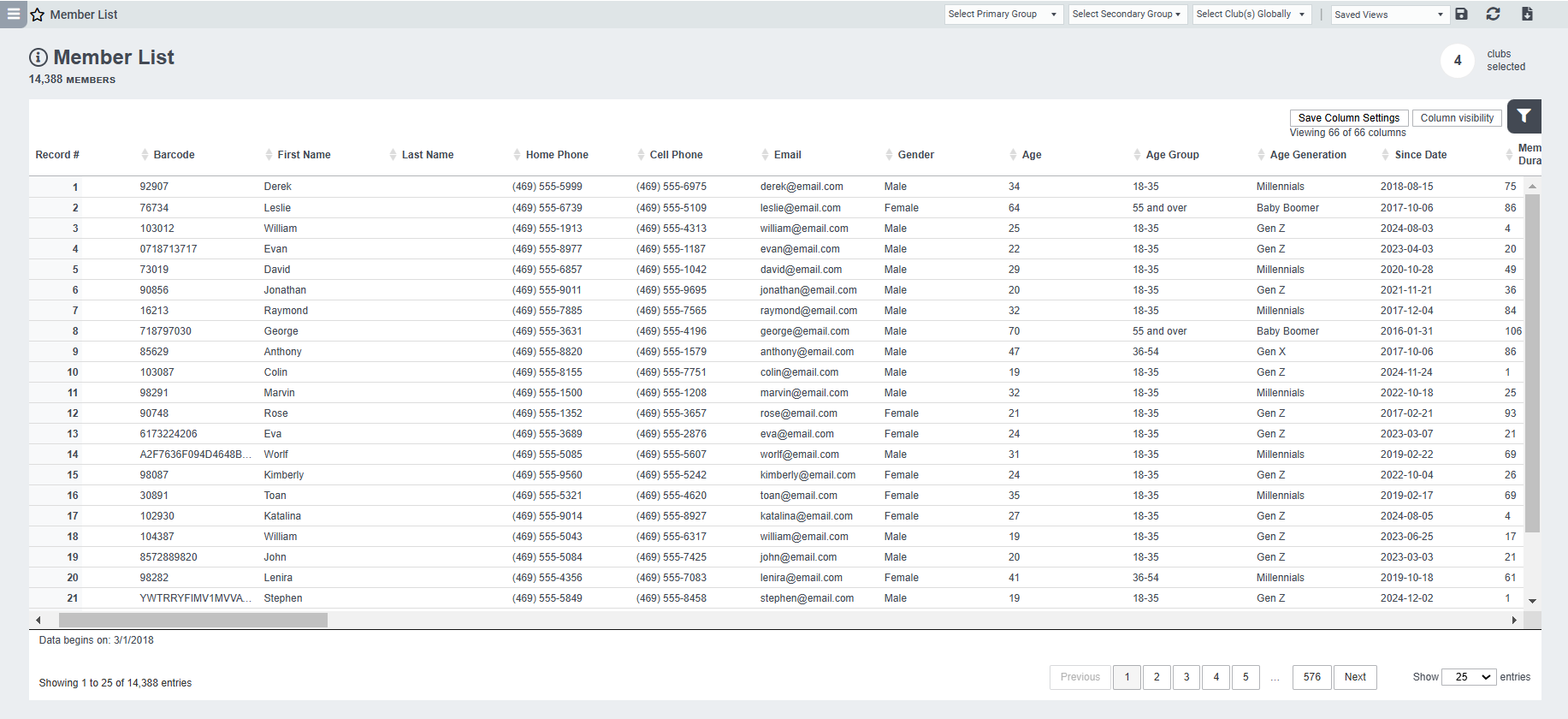
Once you've filtered to your member list, you can hide the filters to enlarge the data table view:
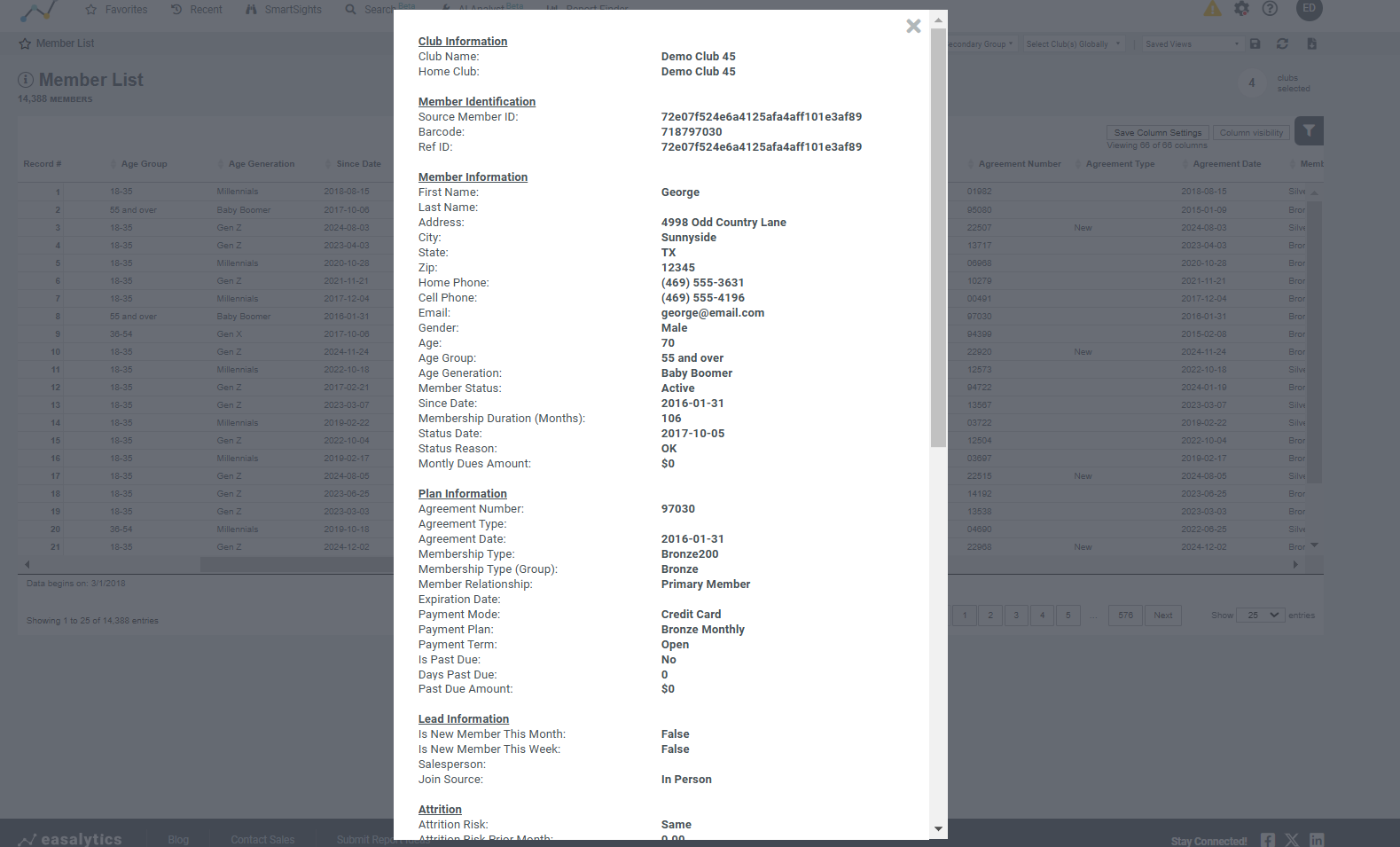
And, click on a record to see the Member Profile card:
Possible Uses for Member List
- Compare the details in Easalytics to your Member Management system to feel comfortable Easalytics has accurate info.
- Spot incorrect combinations of membership types and payment plans to correct your systems
- Find members who haven't checked in recently and export the list for a special email or SMS promotion
- Find members spending below average and export the list for a promotion
- Find members who haven't attended a class in a while but are still active and send them a survey to improve your classes
Note: Check-in data fields reflect check-ins for onboarded clubs only. Last Check-in Date reflects last check-in across all clubs.