
Description
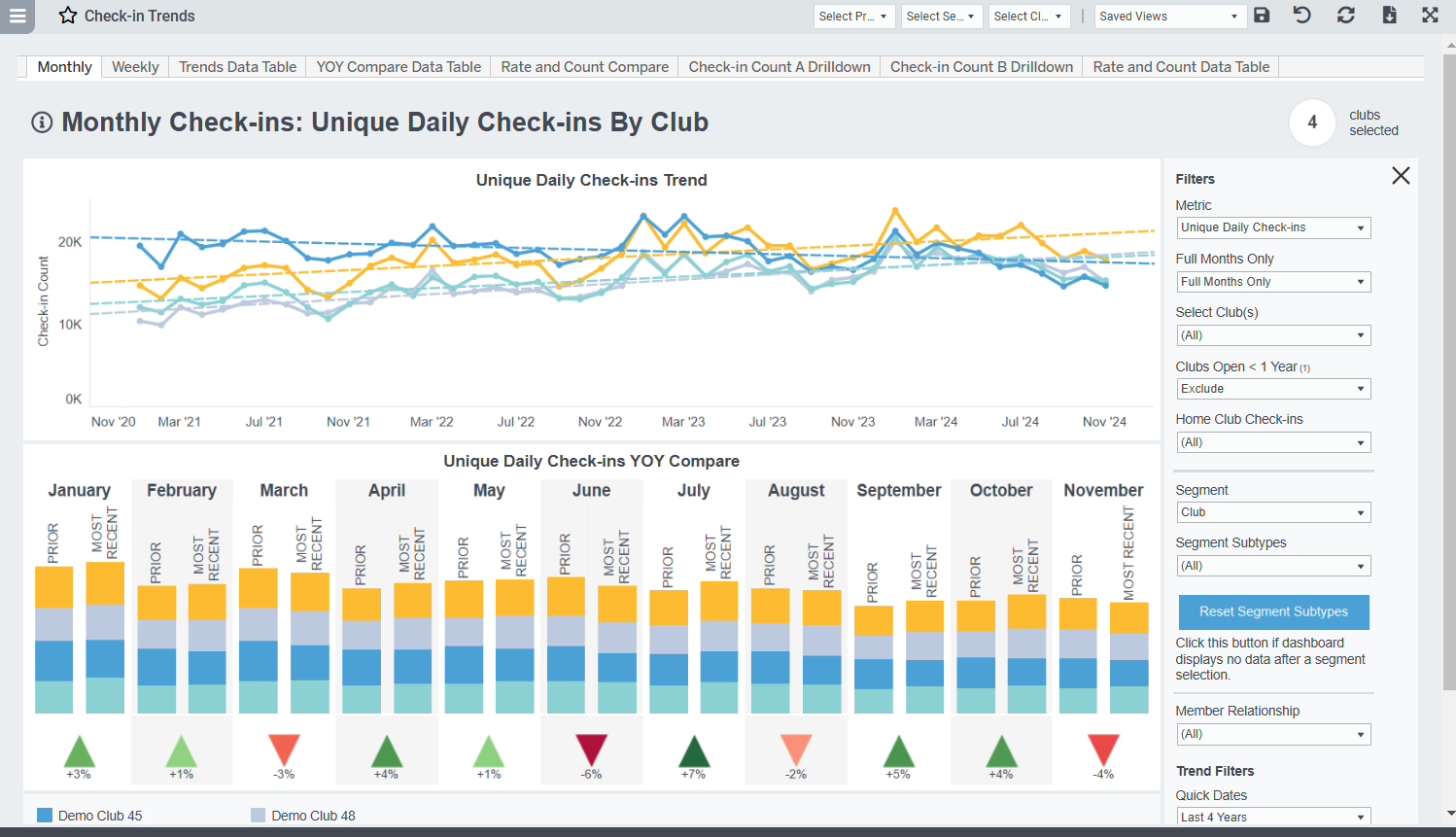
View monthly check-ins compared with the prior year over time. Segments include Club, Membership Type, Membership Type Group, Gender, Age Group, Payment Term, and Join Source.
Possible Uses
- Track and compare member check-ins by month over time with the ability to segment by different options
- Compare check-ins over the past 12 months compared with the same months in the prior year
Metric Definitions
- Check-In Rate: The percentage of your total members who checked in at least once in a specific day/time slot during the specified date range.
- Check-In Count: The number of check-ins, visits, entrances, etc. to the facility. You can choose to view this number as either Total Check-Ins or Unique Daily Check-Ins
- Total Check-Ins: The total number of check-ins within the selected timeframe, including multiple daily check-ins by the same member.
- Unique Daily Check-ins: The total number of check-ins within the selected timeframe, excluding multiple check-ins on the same day by a member.
Total vs. Unique Check-Ins Example:
Tables can't be imported directly. Please insert an image of your table which can be found here.
Total94Which should you use? In general, Unique Daily Check-ins usually gives a more "honest" picture of member usage as it avoids inflated check-in numbers that may be caused by things like:
- members forgetting something in their car and scanning in again when they return (especially if member has to scan to unlock a door)
- members scanning multiple times because they don't hear/see the confirmation (in the data we commonly see multiple check-ins within seconds of each other)
If you know your club has a significant number of members who legitimately use the facility multiple times a day, you may choose Total Check-Ins as a better gauge of club usage.
Related Dashboards